
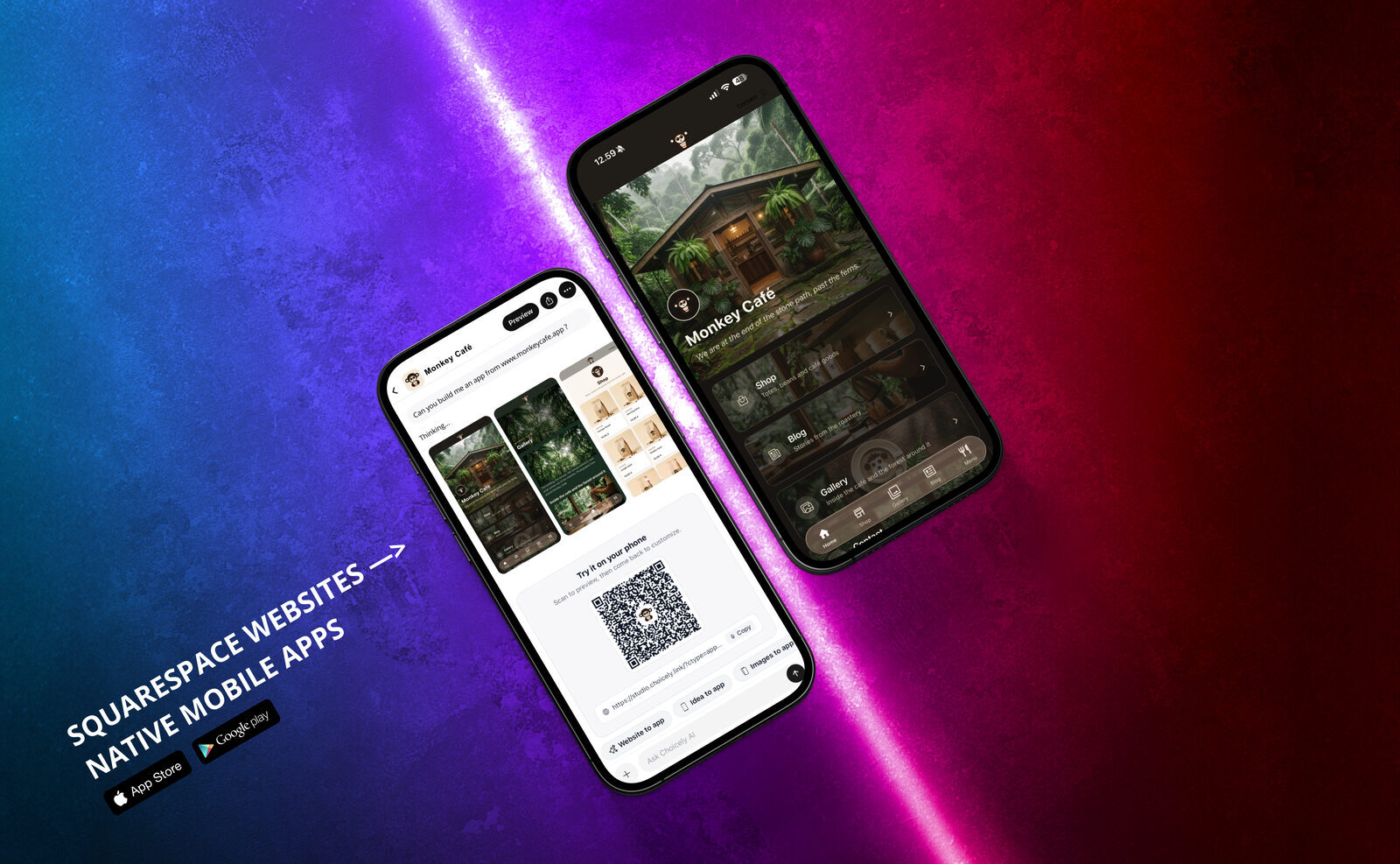
Squarespace gives you one of the best-looking websites on the internet. But on mobile, your audience lives in apps — and Squarespace doesn't offer an app for your visitors, a home-screen icon, or push notifications. This guide shows you how to close that gap: how to build a real native mobile app from your Squarespace website, step by step, using a real Squarespace site as the example.
Shortcut: you can skip the manual steps below — paste your URL into the Squarespace app builder and get a native iOS & Android app from your Squarespace site in minutes.
Can you turn a Squarespace website into an app?
Yes — but the two common routes give you very different results, so it's worth understanding them before you start.
Route 1: webview wrappers. Services like MobiLoud, Median or Twinr package your existing website inside a hidden browser window and ship that as an "app". It's quick, but what your users get is essentially the mobile site with an icon — it feels like a website, works poorly offline, and Apple regularly rejects this kind of app under its minimum-functionality rules (App Store Review Guideline 4.2).
Route 2: a native rebuild. Choicely's AI reads your published Squarespace site and rebuilds your pages, galleries and products as genuinely native iOS and Android screens. The result loads fast, feels like a real app, supports push notifications out of the box, and passes app-store review the way any native app does. Your Squarespace website keeps running exactly as before — the app is built alongside it, not instead of it.
This guide uses Route 2. Our example is monkeycafe.app — a small café brand built on Squarespace, with a visual menu, an 18-product shop, a blog and a photo gallery. By the end, it's a native app ready for the App Store and Google Play.
What you'll need: your Squarespace site's URL, a free Choicely account (no credit card), and about 15 minutes. There is nothing to install on your Squarespace site and no code injection — Choicely reads the published website, so it works with Squarespace 7.0 and 7.1 on any template.

Step 1: Paste your Squarespace site URL
Go to Choicely Studio, choose "Website to app", and paste your site's address. Choicely AI reads the site, recognizes it as a Squarespace website, and lists the pages it found — each one can become a component in your app.
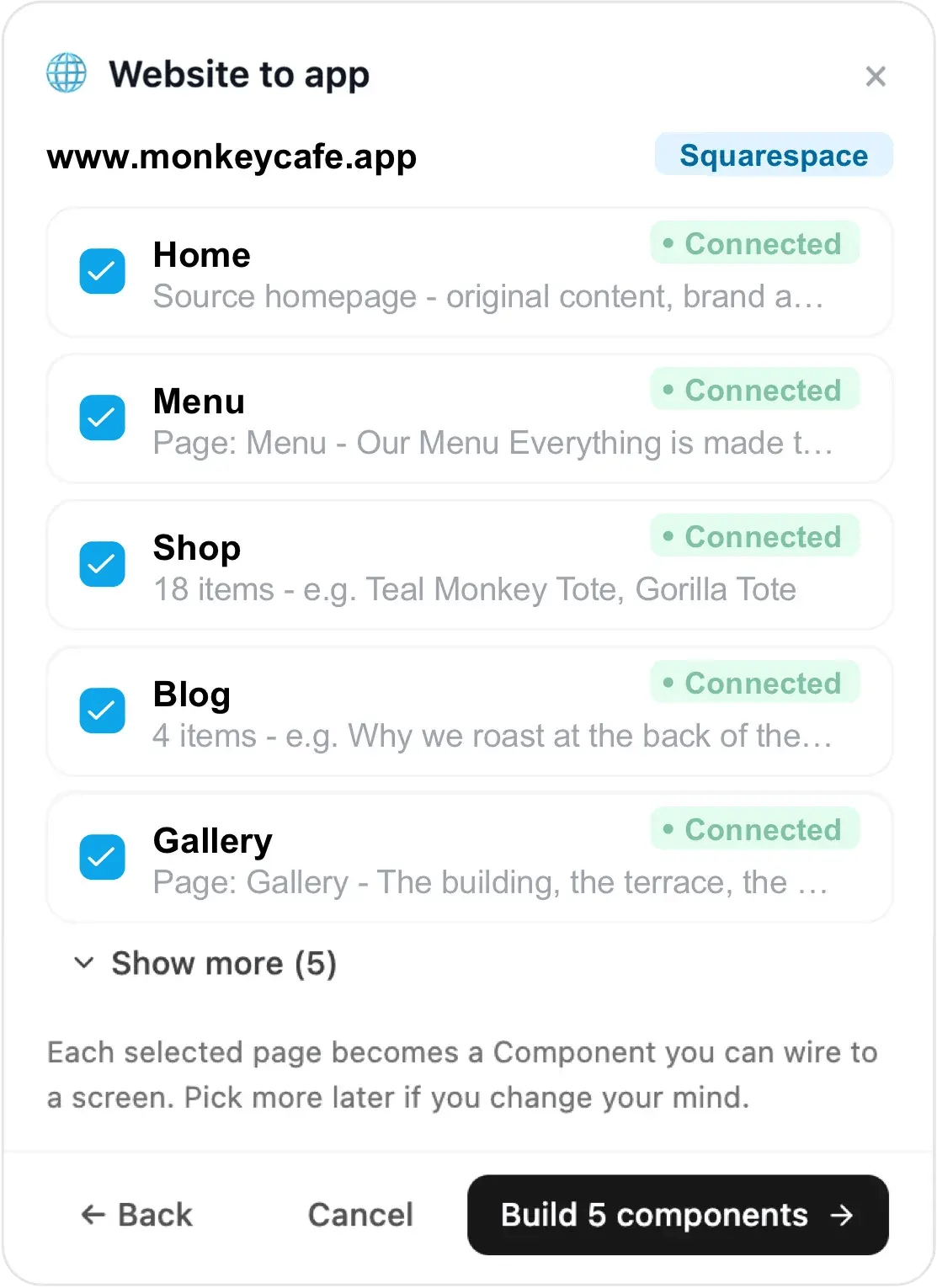
In our example, Choicely found the Monkey Café homepage, the Menu, the 18-item Shop, the Blog and the Gallery — all marked "Connected". Tick the pages you want, click Build components, and the AI gets to work. You can add more pages later, so don't overthink the first selection.
Step 2: Watch your site become app screens
A few moments later the app exists — filled with your real content, not placeholders. Your headings, photography, product cards and page structure come through as native screens with bottom navigation.
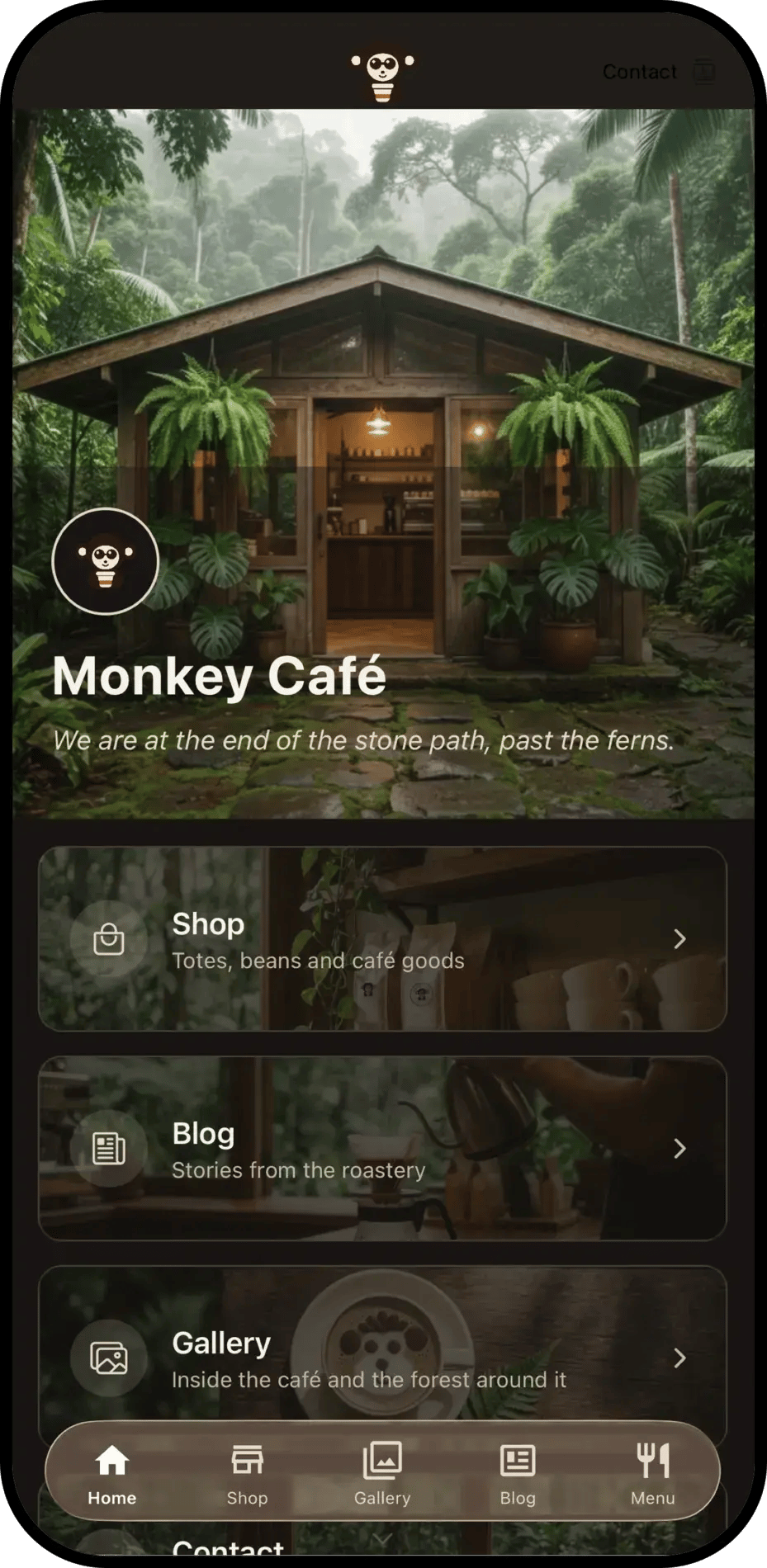
This is the moment that surprises most Squarespace owners: the design carries over. The look you spent evenings perfecting — the typography, the imagery, the mood — is rebuilt natively rather than squeezed into a browser frame.
Scan the QR code in Studio with your phone to try the real app in your hand, then come back to fine-tune.
Step 3: Fine-tune your app in Choicely Studio
Choicely Studio is a visual editor — you click on screens and elements to change them, or simply ask the built-in AI in plain language ("make the tour cards bigger", "move Presets first in the navigation"). No code anywhere.
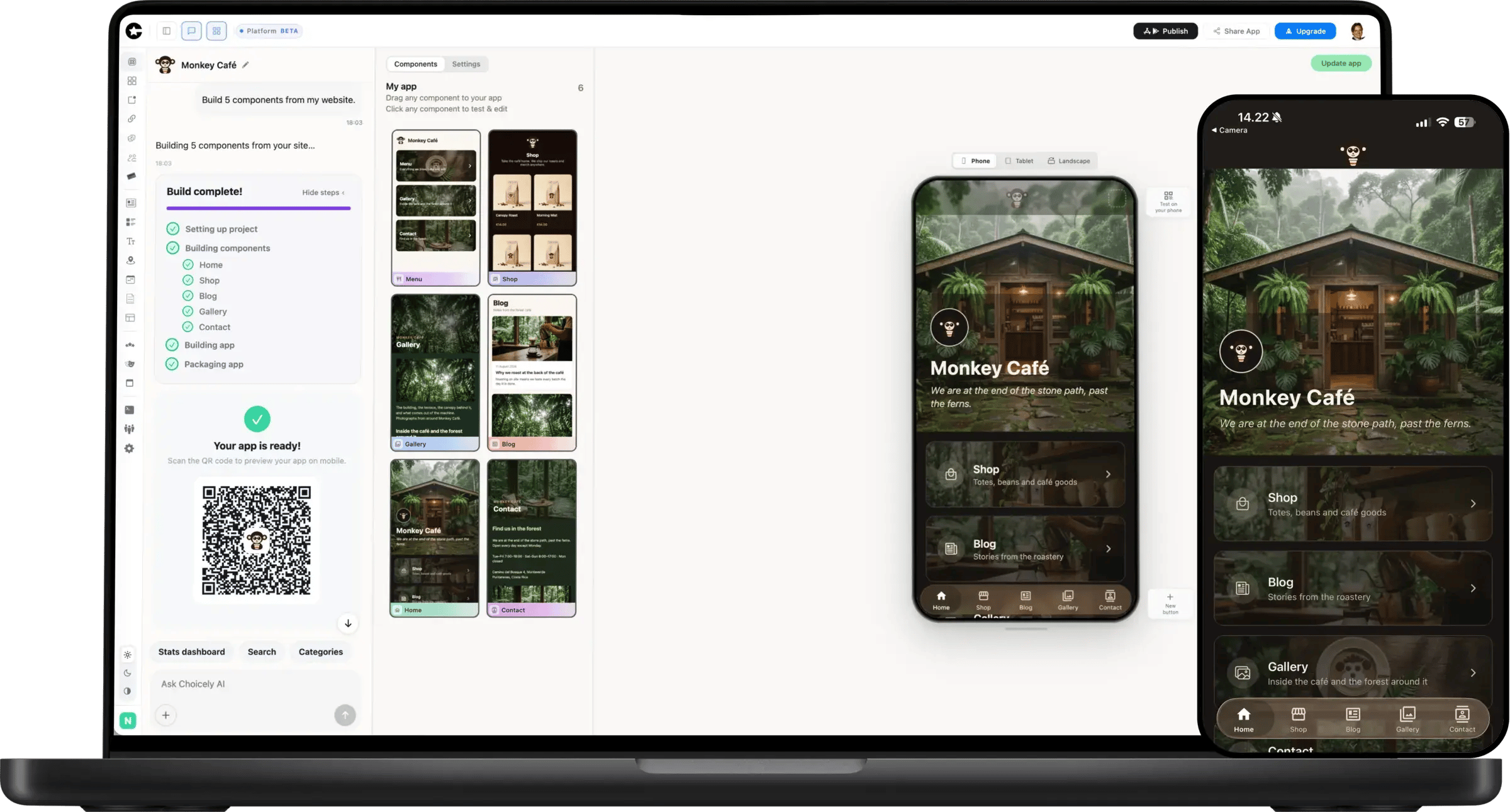
This is also where your app grows beyond what a website can do:
- Push notifications — the single biggest reason to have an app. Squarespace itself has no push; your app announces a new tour date, product drop or blog post straight to your audience's home screen.
- Engagement features — votes, ratings, rankings, polls and surveys turn one-way visitors into a two-way community.
- Monetization — in-app purchases, paid subscriptions, sponsor visibility and your existing commerce, all native. For a small business like our example café, that means selling its totes, beans and mugs inside the app.
Step 4: Publish to the App Store and Google Play
Publishing is where most app projects stall — store listings, screenshots, review rules, developer accounts. Choicely's Publish Assistant does the heavy lifting: it generates your store listing (icon, screenshots, descriptions), simulates Apple's and Google's review before you submit, and tracks the submission live.
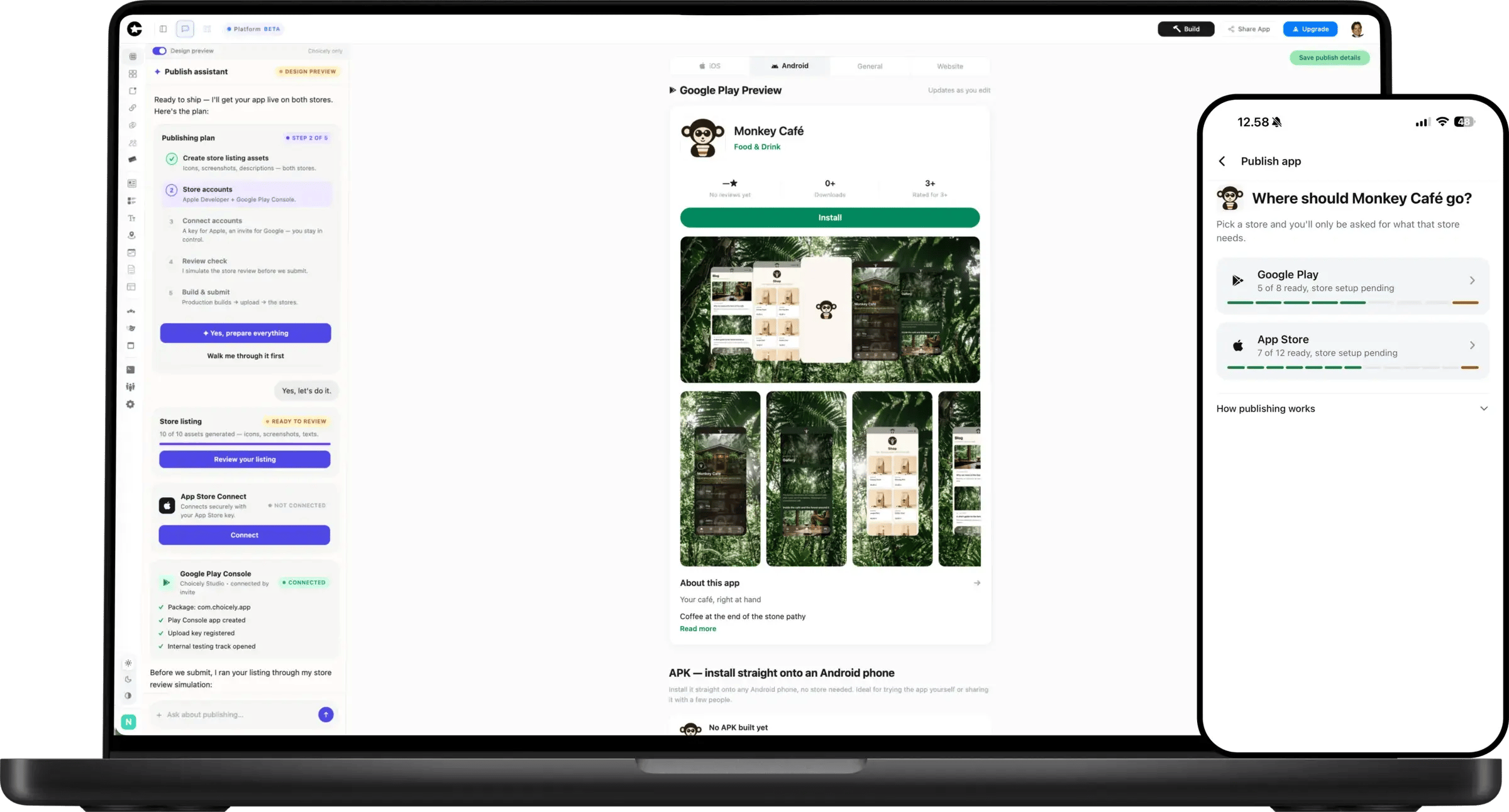
You'll need Apple and Google developer accounts (their own fees apply — see our guides to creating an Apple developer account and creating a Google Play developer account). With those in place, going from a Squarespace URL to a native app in both stores can take as little as one day.
What happens to my Squarespace website?
Nothing — and that's the point. Your website stays your website: same address, same design, same Squarespace subscription, nothing installed and nothing migrated. The app lives alongside it as a second channel for your most loyal audience.
One honest note: Squarespace doesn't offer the kind of open content API that would let an app stay in automatic sync with every site edit. So after launch, you manage the app's content in Choicely Studio — add a new tour, update a price, refresh photos — and changes appear in the app immediately, with no new app-store submission needed. If you publish new content constantly and want an automated feed, talk to our team about a custom setup.
Frequently asked questions
Does Squarespace have its own app for my visitors?
No. Squarespace's mobile apps are for site owners to edit their sites. There is no Squarespace product that gives your visitors or customers an app of your brand — which is exactly the gap a converter fills.
Do I need to know how to code?
No. The conversion, the editing and the publishing are all visual or plain-language AI. Developers can extend the app with custom code, but nothing requires it.
How much does it cost to turn a Squarespace site into an app?
Starting is free with no credit card — you can build and preview your app on your own phone without paying. Paid plans start at $25/month as your app grows, and Apple/Google charge their own developer-account fees for store publishing. See pricing.
Will my Squarespace Commerce store work in the app?
Yes — your products and store content can be surfaced as native commerce screens, so shoppers browse and buy in a fast native experience instead of a mobile web page.
How long does the conversion take?
The first working version takes minutes. Fine-tuning is up to you, and store publishing with the Publish Assistant can complete in as little as one day.
Is this different from what MobiLoud or Median do?
Yes. Those services wrap your existing website in a hidden browser (a webview). Choicely rebuilds your pages as genuinely native iOS and Android screens — faster, push-ready, and far smoother in app-store review. The Squarespace to app converter page has a full side-by-side comparison.
What about a PWA — is that an option?
It is, and for some sites it is the better one: a PWA is installed straight from the browser, needs no developer accounts and no store review. What it cannot do is appear in the App Store or Google Play, send push on iPhone without the visitor adding your site to the Home Screen by hand, or tell you who your customers are. Should you build a PWA instead? compares the two honestly, with a Squarespace site as the worked example.
Conclusion
A Squarespace website and a native app aren't competitors — they're a website for being found, and an app for keeping the audience you've already won. With Choicely AI, getting the second one no longer requires a development project: paste your URL, fine-tune visually, and let the Publish Assistant walk you into both stores.
Choicely is trusted by brands like the Eurovision Song Contest, ITV Studios, Miss Universe and Arsenal Fan TV — the same native platform now converts your Squarespace site. If you'd rather convert any other platform, start from the website to app converter.
Start free today — your Squarespace site is one paste away from being an app.
Build your own app by chatting with AI

Create mobile apps for App Store & Google Play by chatting with Choicely AI
Keep reading, here are some similar posts
Want to catch the attention of your audience? Then create an app to engage your users. Just want the app?...
To create a church app, decide what it is for (service times, sermons, events, notices, giving), gather that...
To keep your app appealing, secure and bug-free, it's recommended to update your app on Google Play Store and...