

Short answer: a PWA (progressive web app) is your website made installable; a native app is a real iOS and Android app from the App Store and Google Play. Choose a PWA when you want something live today, cheaply, with no store accounts. Choose a native app when you need to be found in the app stores, reach iPhone users with push notifications, or use the device properly.
This guide compares the two on what your users actually notice (installing, notifications, offline, speed, device features) and on what you pay for, then says plainly when each one is the right call. It is written by Choicely, which builds native apps, so the case for a PWA is made as carefully as the case for native.
Last updated: October 2026.
What is a PWA?
A progressive web app is a website with three additions: a web app manifest (name, icon, colours), a service worker (a script that can cache files and receive push messages) and HTTPS. With those in place, the browser lets people install the site: it gets an icon on the Home Screen and opens in its own window without the browser's address bar.
Underneath, it is still the website. That is its biggest strength (one codebase, instant updates, works on any device with a modern browser, including desktop) and the source of its limits (it can only do what the browser allows, and on iPhone that is less than on Android).

What is a native app?
A native app is built for a platform with that platform's own tools: Swift for iOS, Kotlin or Java for Android. It is distributed through the Apple App Store and Google Play, installed with one tap, and has direct access to the operating system: notifications, camera, location, Bluetooth, biometrics, background tasks and local storage.
The traditional catch is cost. Two platforms have meant two codebases and two sets of specialists, and every app change goes through store review.
PWA vs native app: the differences that matter
| PWA | Native app | |
|---|---|---|
| Where people get it | Installed from the browser; no store listing on iPhone | App Store and Google Play: searchable, with a Get button |
| Install on iPhone | By hand: Share menu, Add to Home Screen. iOS shows no install prompt | One tap in the App Store |
| Push notifications on iPhone | Only after Add to Home Screen (iOS 16.4 and later) | From first launch, after the user allows it |
| Push notifications on Android | Yes | Yes |
| Device features | Camera, location and more; Bluetooth, NFC and background tasks are limited, especially on iOS | Full access to the operating system and hardware |
| Offline | What the service worker has cached | Content and data stored on the device |
| Performance | Good for content and commerce; heavy graphics and long lists lag first | Smoothest scrolling, animation and start-up |
| Updates | Instant: it is the website | Store release for app changes |
| Desktop | Installs on Mac and PC from the browser | Separate desktop apps needed |
| Running costs | Web hosting only | Apple $99/year, Google $25 once, plus build and maintenance |
Most of these rows are a matter of degree. Three are not, and they usually decide the question: whether you need a store listing, whether you need push on iPhone, and whether Apple will accept what you submit.
The iPhone question: installing and push notifications
On Android, Chrome can show an install prompt for a PWA, and web push works in the browser. iPhone is different, and it is where most "should we build an app?" decisions are actually made.
- No install prompt. iOS does not offer to install a PWA. The user has to open the site, tap Share, find Add to Home Screen and confirm. Your site can explain the steps, but it cannot do them for the user.
- Push only after installing. Apple added web push to iPhone and iPad in iOS 16.4 (2023), but only for web apps that have been added to the Home Screen. A website open in the browser cannot ask an iPhone user for notification permission.
So with a PWA, every iPhone push subscriber has first completed a manual install. A native app asks for permission with the system's own dialog on first launch. If push notifications are the reason you want an app, this asymmetry is usually the whole decision. If they are not, it costs you nothing.
App stores and Apple Guideline 4.2
People search the App Store and Google Play the way they search Google. A PWA is not in the App Store. On Android it can be: Google Play accepts a PWA packaged as a Trusted Web Activity.
The obvious workaround for iPhone is to put the website inside a native shell (a webview wrapper) and submit that. Apple's App Review Guideline 4.2, Minimum Functionality, is written against exactly this: an app is expected to offer more than a repackaged website, and apps that are mainly a website in a wrapper risk rejection. Guideline 4.2.6 adds that apps made with an app generation service must be submitted by the provider of the app's content, which is why, whichever tool you use, the app goes into the store under your own developer account.
That is the real reason the choice is "PWA or native" rather than "PWA or wrapper": if you want to be in the App Store, you need an app that is an app.
Where hybrid apps and webview wrappers sit
Between the two ends there are two different things that often get mixed up:
- Cross-platform frameworks such as Flutter and React Native produce real installable apps from one codebase. They are a legitimate way to build for both platforms if you have developers; performance is close to native for most apps.
- Webview wrappers take an existing website and put it in an app shell. They are fast to make, but the app is still the website, they inherit its offline and performance limits, and on iOS they run into Guideline 4.2.
When a PWA is the right answer
- You need it live today, with no review queue and no developer accounts.
- Your site is mainly content (a blog, a portfolio, a brochure site) and you want an icon on the Home Screen rather than a store presence.
- Desktop matters: a PWA installs on Mac and PC from the browser.
- Your users are mostly on Android, where install prompts and web push work well.
- You want to test whether people will install anything from you at all before committing to the stores.
If that list describes you, take the PWA. It is a real recommendation, not a setup for a counter-argument.
When a native app is the right answer
- You want to be found in the App Store and Google Play, with your own listing, icon and reviews.
- Push notifications to iPhone users matter, without each of them doing a manual install first.
- The app needs the device: camera, location, Bluetooth, biometrics, background tasks.
- Content has to work offline, not just a cached shell.
- Performance and feel matter: long feeds, video, animation, heavy daily use.
- You need user accounts, segments and targeted messages rather than one broadcast to everyone.
What a native app costs that a PWA does not
Anyone who compares these two without the costs is not being straight with you:
- Apple Developer Program: $99 a year, required for as long as your app is in the App Store.
- Google Play developer account: a one-time $25 registration fee.
- Store review: both stores review every submission and either can reject one. Plan time for it.
- Building and maintaining two apps: traditionally the largest cost, because iOS and Android have needed separate code and separate specialists, and both need updating as the platforms change.
A PWA has none of these costs. That is its genuine advantage and the main reason the PWA route exists.
How Choicely builds native apps without a native team
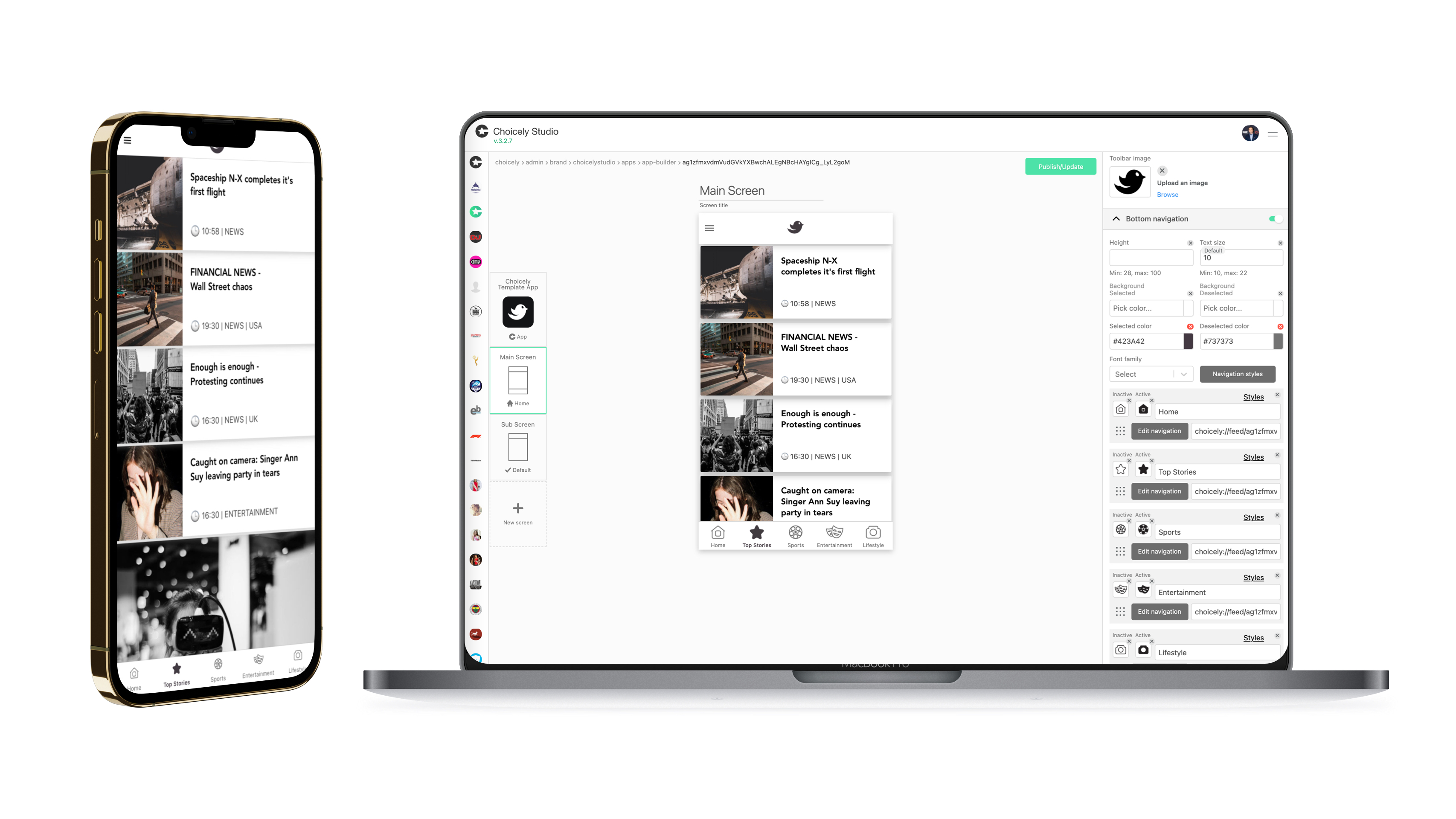
Choicely takes the last cost off that list. Describe your app or paste your website's address into Choicely Studio and it builds a native iOS app (Swift) and a native Android app (Java) from one project. It is not a webview wrapper: the screens are native, built from your content. You refine the app in chat or with drag and drop, and preview it on your own phone as you go.

- One project, two native apps. No separate iOS and Android codebases to build or keep in step.
- Content updates without a store release. Changes to content in Studio reach the published app without a new submission; changes to the app itself go through a normal release.
- Platform updates handled. The Choicely team keeps the app platform up to date with iOS and Android changes.
- Publishing, guided. The Publish Assistant prepares your store listings, pre-checks the app against common review problems and guides you through submission, which you do under your own Apple and Google developer accounts.
Building and previewing is free: the Free plan includes 150 credits a month plus 100 bonus credits at sign-up, with push notifications included. You pay when you are ready to publish: Premium is $25 a month and Business $50 a month. Current details are on the pricing page. The Apple and Google fees above are paid directly to Apple and Google.
Starting from an existing site? The website to app converter shows how Choicely builds an app from your pages. On Squarespace, read Squarespace PWA vs native app, which covers what is specific to that platform. Or try it with your own website.
Questions to ask before you decide
- Do people need to find the app in the App Store or Google Play?
- Do you need to reach iPhone users with push notifications?
- Which device features does the app need, and does it have to work offline?
- How much will people use it: occasionally, or every day?
- Does it need to install on desktop too?
- What is your budget and timeline, and who will maintain the app?
If every answer points to "no store, no iPhone push, light use", a PWA is the proportionate choice. If any of the first three is yes, build a native app.
PWA vs native app: common questions
What is the difference between a PWA and a native app?
A PWA is a website that the browser can install: it opens in its own window with your icon on the Home Screen, but underneath it is still the website. A native app is built for iOS and Android with the platforms' own tools, installed from the App Store or Google Play, and has full access to the operating system and the device. The practical differences are store presence, push notifications on iPhone, device features and offline behaviour.
Is a PWA still relevant in 2026?
Yes. For content and commerce sites that want an installable, always-up-to-date experience without app store accounts or review, a PWA is a sensible, low-cost choice, and it also installs on desktop. It is less suitable when you need to be found in the app stores or need to reach iPhone users with push notifications without a manual install.
Will PWAs replace native apps?
Not on current evidence. PWAs have grown more capable, but the App Store does not list PWAs, iPhone push still requires a manual Add to Home Screen, and several device APIs are not available in Safari. That is also the honest answer to why PWAs are not more popular: on iPhone, users have to find and do the installing by hand. Both will keep existing side by side.
What are the disadvantages of a PWA?
No App Store listing, no install prompt on iPhone, push on iPhone only after the user adds the site to the Home Screen, limited access to hardware such as Bluetooth and NFC on iOS, and weaker background processing than a native app. In return a PWA has no store fees, no review and instant updates.
Can a PWA be published in the App Store or Google Play?
Google Play accepts a PWA packaged as a Trusted Web Activity, so on Android it can have a store listing. Apple's App Store has no equivalent: an app that is mainly a website in a native shell risks rejection under App Review Guideline 4.2 (Minimum Functionality). To be in the App Store you need a real iOS app.
Do PWAs support push notifications on iPhone?
Since iOS 16.4, yes, but only for a web app the user has added to the Home Screen and then opened. A website in the browser cannot ask for push permission on iPhone. A native app can ask from its first launch.
Is a PWA cheaper than a native app?
Usually, in direct cost: no Apple Developer Program fee ($99 a year), no Google Play fee ($25 once) and no review time. Native apps cost more mainly because they traditionally need two codebases; platforms such as Choicely build both native apps from one project, which removes most of that difference but not the store fees.
Sources and disclosure
- Apple App Review Guidelines, sections 4.2 (Minimum Functionality) and 4.2.6.
- WebKit, "Web Push for Web Apps on iOS and iPadOS" (iOS 16.4, 2023).
- Apple Developer Program and Google Play Console registration fees, as published by Apple and Google.
- Google's Trusted Web Activity documentation for publishing a PWA to Google Play.
- Choicely plans: choicely.com/pricing, checked October 2026.
Choicely builds native mobile apps, so we have a stake in this comparison. We have tried to make the case for a PWA as fairly as the case for native.
See your website as a native app
Paste your website's address and watch Choicely build native iOS and Android screens from your own content. Free to build and preview; you decide about the stores afterwards.
Build your own app by chatting with AI

Create mobile apps for App Store & Google Play by chatting with Choicely AI
Keep reading, here are some similar posts
Last updated: October 7, 2026. Prices verified on each vendor's pricing page on that date; we re-check this...
Choicely Oy, the Finnish company specializing in no code mobile applications, grew by 73 percent to 1.24...

Choicely, the no-code app builder platform empowering companies to launch beautiful and functional apps...