
Compare the best Adalo alternatives for shipping native iOS and Android apps in 2026: Choicely, FlutterFlow, Bubble, Bravo Studio, and more.


Last updated: July 23, 2026
You built your app on Adalo, shipped something real, and for a while it worked. Then the app got popular, the data grew, and screens that once felt instant started to stutter. That is the moment most teams begin searching for Adalo alternatives, and it is almost always about one thing: native performance that holds up as your app and your audience grow.
Adalo is genuinely good at what it was built for, getting a simple, genuinely native app live fast without code. The wall shows up later, when you outgrow its custom-logic ceiling, hit an integration it does not support, or watch per-app pricing climb faster than you planned. None of that means you chose wrong. It means your app graduated.
There is a trap underneath the search, though. Many Adalo alternatives are not native at all: they ship web apps or PWAs and bolt mobile packaging on later. Switching to one of those does not solve the performance-at-scale problem you are leaving Adalo for; it just changes the logo on the tool. If your goal is a real, ownable native app that scales, the shortlist is shorter than the search results suggest.
This guide compares the six Adalo alternatives worth your time in 2026, grouped by what they really output: native app builders, no-code web platforms, design-to-native tools, and internal-tool builders. We scored each on seven things a team actually weighs when leaving Adalo: native performance and output at scale, whether non-coders can use it, custom-logic and integration depth, direct App Store and Google Play deployment, the human help available when you hit a wall, built-in engagement features, and pricing predictability.
The Best Adalo Alternatives at a Glance
|
Choicely |
FlutterFlow |
Bubble |
Bravo Studio |
Glide |
|---|---|---|---|---|
|
Best overall for native mobile at scale |
Best for a developer-owned codebase |
Best for deep custom logic |
Best for Figma to native |
Best for data-driven internal apps |
What Are the Best Adalo Alternatives? Comparison and Ratings Chart
| Software | Best For | Key Capabilities | Output | Setup | Starting Price |
|---|---|---|---|---|---|
| Choicely | Native mobile, no code | AI chat + visual editor + in-house Pro Services; built-in engagement; live updates with no re-review | Native iOS + Android | Minutes (DIY); weeks (full build) | Free; Premium from $25/mo |
| FlutterFlow | Developer-owned native code | Visual Flutter builder, exportable Dart code, store deploy, AI copilot | Native (Flutter) | Hours to days | Free; From $39/mo |
| Bubble | Deep custom logic | Visual workflow engine, large plugin ecosystem, native mobile (React Native, beta) | Web + native mobile (beta) | Days to weeks | Free; From $59/mo |
| Bravo Studio | Figma to native | Figma-to-native, API connections, native device features, store publishing | Native (from Figma) | Hours + backend wiring | Free; From $20/mo |
| Glide | Data-driven apps | Spreadsheet/DB-driven, AI generator, integrations, fast CRUD apps | PWA / web | Fast | Free; From $25/mo |
| Noloco | Portals + internal tools | Builds apps from your data, granular permissions, white-label portals | Web / PWA (portals) | Fast | Free; From $49/mo |
How We Evaluated These Adalo Alternatives
We scored each platform on seven weighted dimensions, drawn from what a team actually weighs when Adalo can no longer carry the app they need to ship. Each platform is scored for fit to that specific job, a real native iOS and Android app that performs at scale and that non-coders can build, not for raw product quality.
A low score reflects a poor fit for that job, not a weak product for the market it was built for. Several of these tools are excellent at what they do, and we say so where a different job would make one of them the right call.
| Criterion | Weight | What We Measured |
|---|---|---|
| Native performance and output at scale | 25% | Whether the platform ships a real native iOS and Android binary that stays fast under real data and traffic, the exact wall teams hit on Adalo. |
| Usable by non-technical builders | 20% | Whether someone who does not code can build and ship without Flutter, a terminal, or Git. |
| Custom-logic and integration depth | 15% | Whether the tool handles the workflows, data models, and third-party integrations Adalo could not. |
| App Store and Google Play deployment | 10% | Whether it ships the actual native app and handles store submission, or hands you a URL or a wrapper. |
| Human help when you hit a wall | 10% | Whether there is a first-party Pro Services team, an expert community, or a clean hand-off. |
| Built-in engagement features | 10% | Whether voting, polling, ratings, and similar features are available out of the box. |
| Ownership and pricing predictability | 10% | Whether you own the code and data with a clean exit, and how forecastable the cost is as you scale. |
Best Adalo Alternatives for Native Mobile Apps in 2026
The alternatives below fall into a few groups. Choicely is a native app builder. FlutterFlow is a developer-led native builder, and Bravo Studio turns Figma into native apps. Bubble and Glide are built around web apps and PWAs. Noloco is for internal tools and client portals. Here is where each one fits, ordered by how well it does the job you are leaving Adalo for.
1. Choicely: The Best Adalo Alternative for Native Mobile Apps
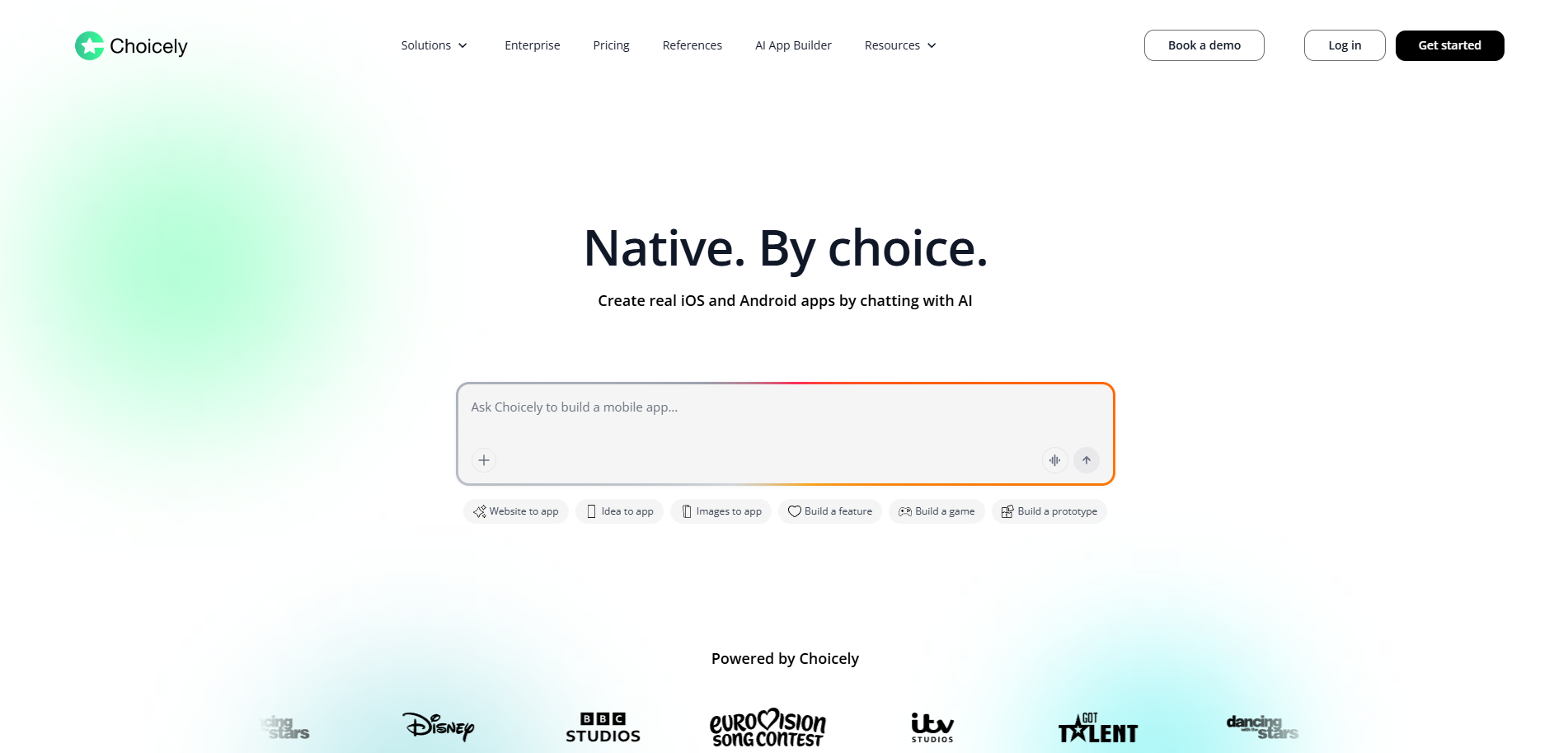
Best for teams and founders moving off Adalo who need a real native iOS and Android app that stays fast at scale, with built-in audience engagement and the option of an in-house team for the parts where the AI hits a wall.
Score
9.4 / 10. Top marks for native output and performance at scale (10/10), App Store and Google Play deployment (10/10), the in-house team when you hit a wall (10/10), and built-in engagement (10/10). Scored lower on raw code-level control for engineers (6/10), which is not what it is built for.
Product Overview
Choicely is an AI-powered mobile app platform built for one job: turning an idea into a real native iOS and Android app that ships to the App Store and Google Play, and stays fast when real audiences arrive. It is the platform behind apps for Eurovision, Miss Universe, Got Talent, ITV's Love Island, Dancing with the Stars, the BBC, Disney, and Arsenal fan channel AFTV, and it is designed so a non-technical team can build the way a production studio does.
Three Ways to Build, in One Platform
Describe what you want in plain language and the AI builds it, refine it by dragging and dropping components in the visual editor, or hand the build to Choicely's in-house Pro Services team. You can mix all three. Because the AI works alongside the visual editor rather than blocking it, you are not stuck waiting for the AI to finish each step before you can touch the app yourself.
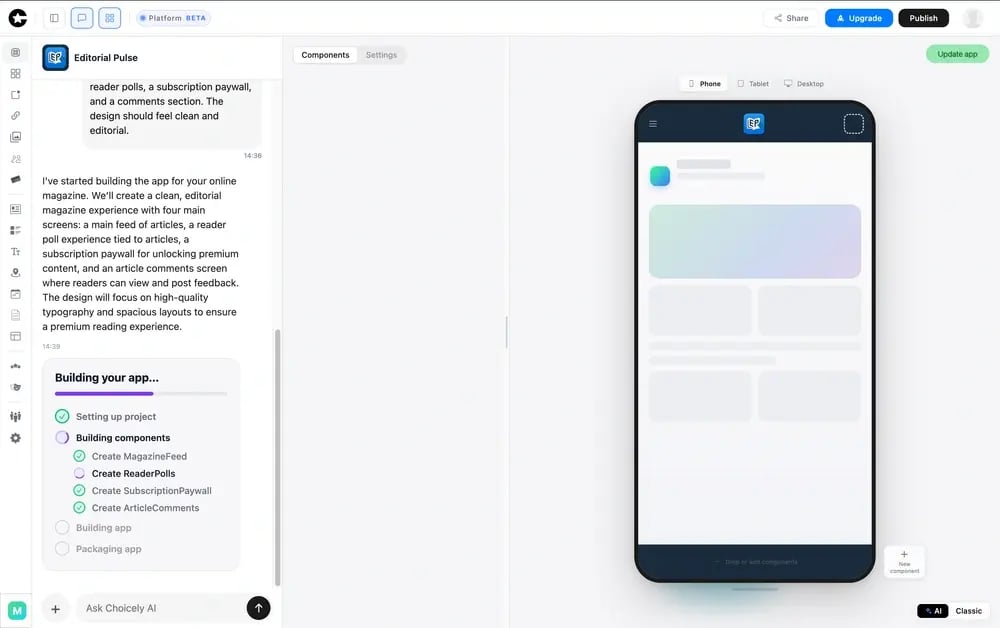
Real Native Output, Not a Web Wrapper
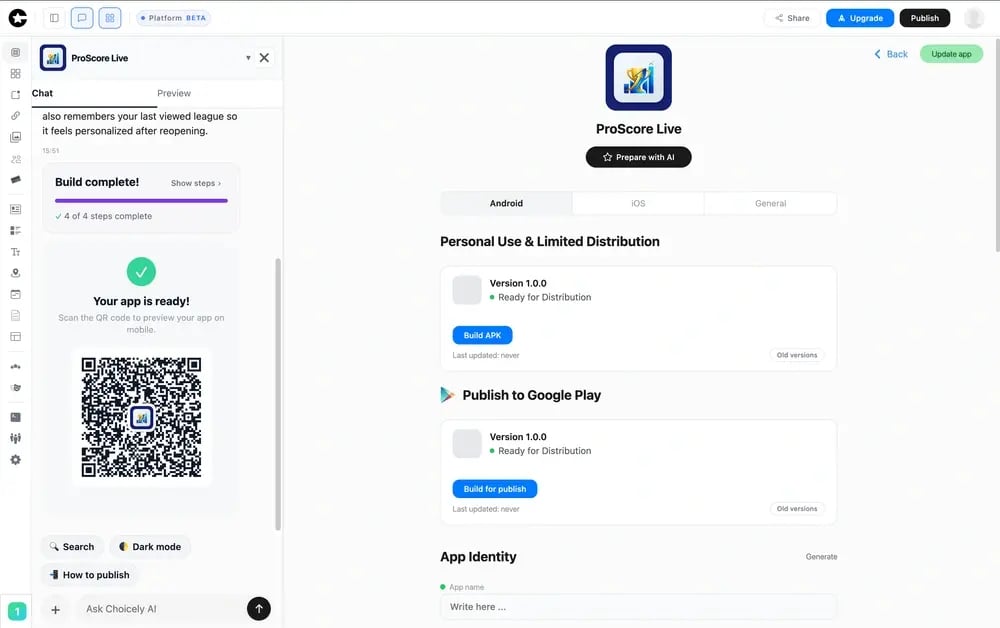
Choicely produces real native iOS (Swift) and Android (Java) apps; the AI builder also generates React Native, with true native code used to reach full device features (push notifications, camera, biometrics) and the performance and store quality a web app or PWA cannot match. This is the difference that fixes the performance-at-scale wall most teams leave Adalo to solve.
Engagement Built In
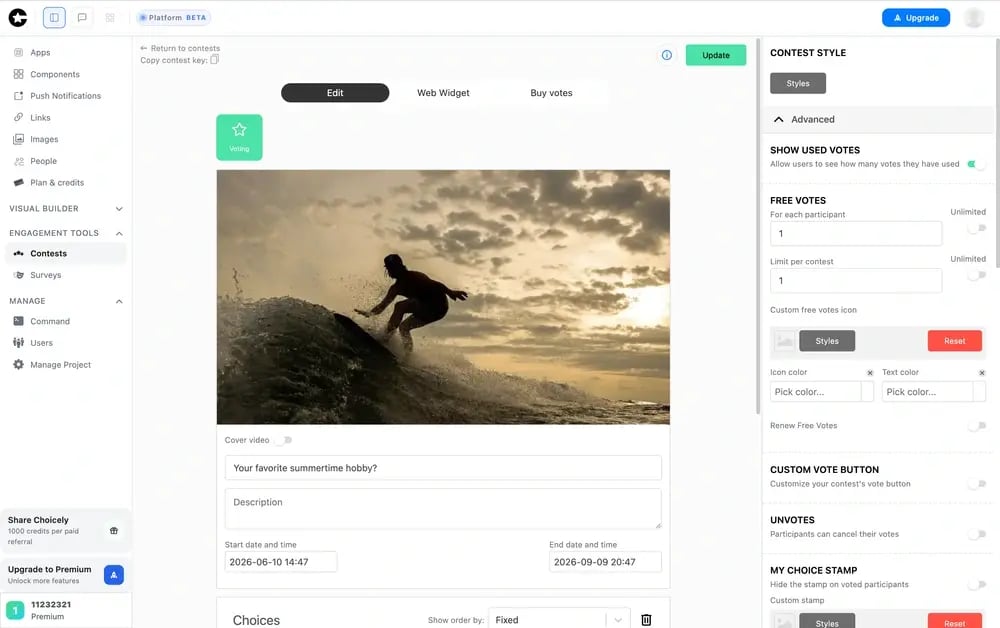
Voting, polling, ratings, rankings, battles, reactions, and surveys, including paid voting, are available out of the box, where every other tool on this list expects you to build them from scratch after the app is done. This is a core reason media, sports, and entertainment brands choose Choicely.
Monetization Built In
A merchandise shop, a ticket shop, premium subscriptions, sponsor visibility, video ads, sponsored content, and lead capture are available as native app features, so the app can earn from day one rather than after a second build.
Update the Live App Without an App Store Re-Review
Push content and feature changes to a published app in real time, bypassing the store review cycle. For voting, live events, and breaking news, where a 24 to 72 hour review would kill the moment, this is decisive, and it is something Adalo and most builders here cannot do.
Proven at Live-Event Scale
The Miss Universe app reached roughly three million downloads in about five weeks across more than 200 countries, and Eurovision and Got Talent run live-vote spikes of millions of concurrent users during broadcasts. That is production proof at a scale none of the alternatives here can show, and it is the answer to the exact question teams ask when Adalo starts to strain.
You Own It, and It Stays Open
You own your app and your user data. Choicely is an open, API-driven platform with an SDK and native connectors, and it supports custom code (React, Java, Flutter, and web), so it does not box you in the way an all-in-one tool does.
Teams move off Adalo for three reasons, and Choicely is built around each.
“I Need Native Performance at Scale.”
Choicely ships real native iOS and Android apps that hold up under live, real-time load, where Adalo's lightweight runtime is the thing that started to stutter as your data and users grew.
“I Need Deeper Logic and Real Integrations.”
The AI builder, visual editor, and open API handle the workflows and third-party connections Adalo's custom-logic ceiling could not, and the Pro Services team can build anything the platform does not cover.
“I Need a Human Team When I Hit a Wall.”
An in-house design and engineering team can take the build over the finish line, including store submission, a path Adalo and the other alternatives do not offer in-house.
Pricing
Credit-based self-serve subscriptions (Premium at $25 a month and Business at $50 a month) with a free starter tier to build and preview apps.
For teams that want the app designed and built for them, the Pro Services full build is a separate, project-based engagement.
Monthly credit allotments with rollovers and optional top-ups keep ongoing cost predictable.
See the Choicely AI App Builder and the full native iOS and Android app builder feature set.
Integrations
Open, API-driven platform with native connectors to CRMs, ecommerce (Stripe, Shopify), streaming, advertising, automated content feeds, CMSs, maps, and UGC tools, plus first-class push notifications, in-app purchases, and biometric login. An SDK is available for deeper customization.
Setup
DIY via AI: minutes to a working prototype. Pro Services full build: a production-ready native iOS and Android app in weeks rather than months. No CLI, terminal, or Git required.
Tradeoffs
Where it is not the right fit: Choicely is not a general-purpose web app builder or a code-first environment, and it is overkill if all you need is a quick app to validate an idea this weekend. A team whose deliverable is a simple internal tool, or who only wants to test demand fast, is better served by Adalo itself, Glide, or Noloco. Choicely earns its place when the deliverable is a real native consumer app that has to handle real users, and real spikes, from day one.
Support
White-glove onboarding and a hands-on team for Pro Services customers, plus community and email support on self-serve plans. That first-party team is the support advantage most no-code tools on this list do not have: no one to call when you hit a wall, only forums or a paid agency.
Case Study
AFTV, the leading Arsenal fan-media platform, used Choicely's no-code mobile app builder to launch a mobile-first experience for a global audience. Through the AFTV+ app, fans get real-time updates via live streams and push notifications, and content from AFTV's video channels and social feeds publishes into the app automatically. Choicely also lets AFTV update and manage its native apps quickly without heavy technical resources. AFTV CEO Brett Best called it a “clever and intuitive product” and, on value, “remarkable technology” for organizations that are not tech-first.
2. FlutterFlow: A Developer's Native App Builder
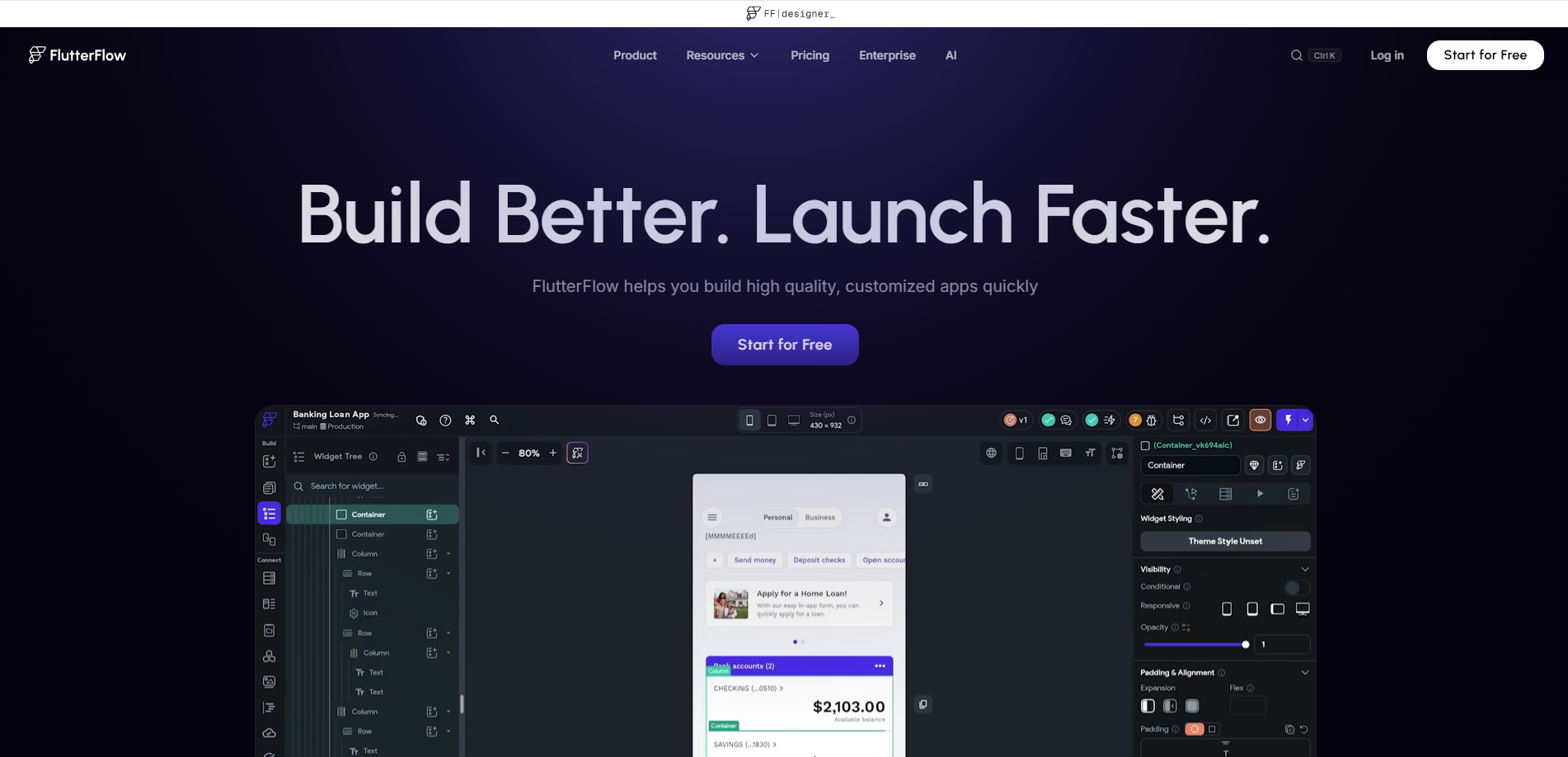
Best for developers and technical founders who want full control of a native codebase they own.
Score
6.8 / 10. Genuinely native output (9/10) with full code ownership (9/10), but it assumes Flutter and Dart skills (non-technical 2/10), ships no built-in engagement (2/10), and has no first-party team (3/10).
Product Overview
- A visual builder on Google's Flutter framework that generates real, exportable Dart code and compiles to native iOS and Android.
- Deep customization through custom Dart code, an AI copilot for scaffolding, and one-click deployment to the App Store and Google Play.
- You bring the backend: FlutterFlow expects Firebase or Supabase, which it builds against but does not host for you.
Pricing
Free plan for learning. The Basic plan starts at about $39 a month and unlocks code export and store deployment; Growth runs about $80 a month for the first seat, and Business about $150. Budget separately for Firebase or Supabase on top.
Integrations
Strong API support and native Firebase and Supabase connections, plus the wider Flutter package ecosystem. The backend is yours to wire and maintain.
Setup
A developer can have a working app in hours. The gap between a working app and one shipped to the App Store assumes Flutter and Dart fluency you either have or pay for.
Tradeoffs
FlutterFlow loses to Choicely on three fronts: it assumes developer skill where Choicely's AI and visual editor are usable by anyone on the team, it has no first-party team to take the build over the line, and it ships none of the voting, polling, or fan-engagement features Choicely includes out of the box. It is the right answer when owning the raw native codebase matters more than speed or built-in engagement.
3. Bubble: Deep Custom Logic, Now With Native Mobile
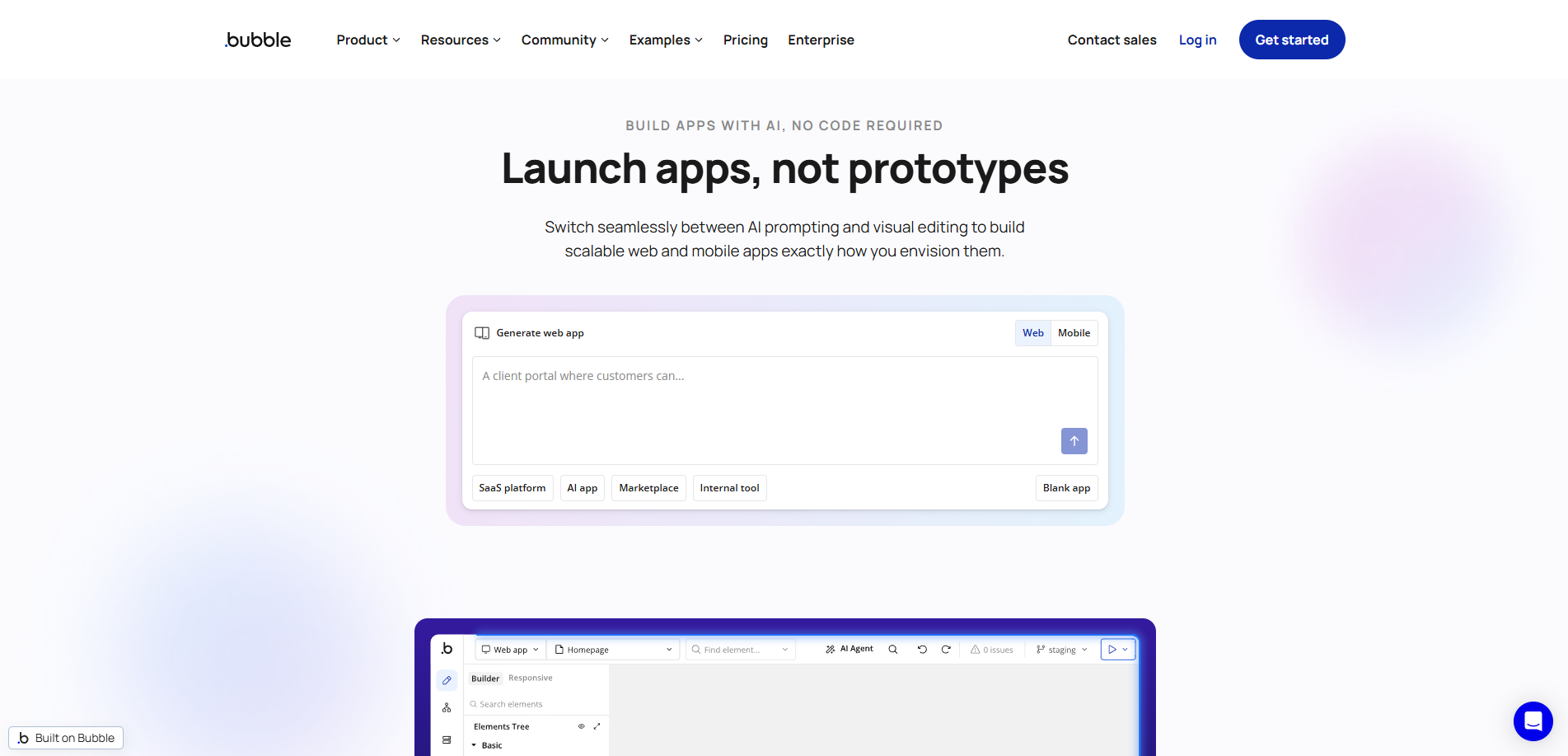
Best for teams building data-heavy, logic-heavy apps that need a deep workflow engine and can live with a learning curve.
Score
6.0 / 10. The deepest custom logic on the list (9/10) and now native mobile (6/10, still maturing), but a real power-user learning curve (non-technical 5/10), no built-in engagement (3/10), no source-code export, and Workload-Unit costs that climb with traffic (ownership and pricing 4/10).
Product Overview
- A visual workflow engine that models genuinely complex application logic without code, extended by thousands of plugins.
- A native mobile builder (public beta since mid-2025) that runs on React Native and publishes real iOS and Android apps alongside the web app from one shared backend.
- Pricing runs on Workload Units that meter server usage, and there is no source-code export if you ever want to leave.
Pricing
Free to prototype, though you cannot deploy a live app on it. Web plans start at $29 a month billed annually ($32 monthly), mobile-only at $42 ($49 monthly), and combined web plus mobile at $59 ($69 monthly). Workload-Unit metering means costs rise with traffic, so model it before you commit.
Integrations
One of the largest plugin and integration ecosystems in no-code, plus a full API connector. If a third-party service matters to you, something usually exists for it.
Setup
Days to weeks. Bubble is powerful, but the workflow model has a real learning curve.
Tradeoffs
Bubble and Choicely win in different places, and it is worth being precise. Bubble is the better tool for data and logic-heavy applications with deep custom workflows. Choicely is the better tool for live, real-time, audience-facing apps where engagement features and proven scale during traffic spikes are the point, and where you want an in-house team rather than a learning curve. Frame the choice around your app's center of gravity, not around native versus non-native, because both ship native now.
4. Bravo Studio: Figma to Native App
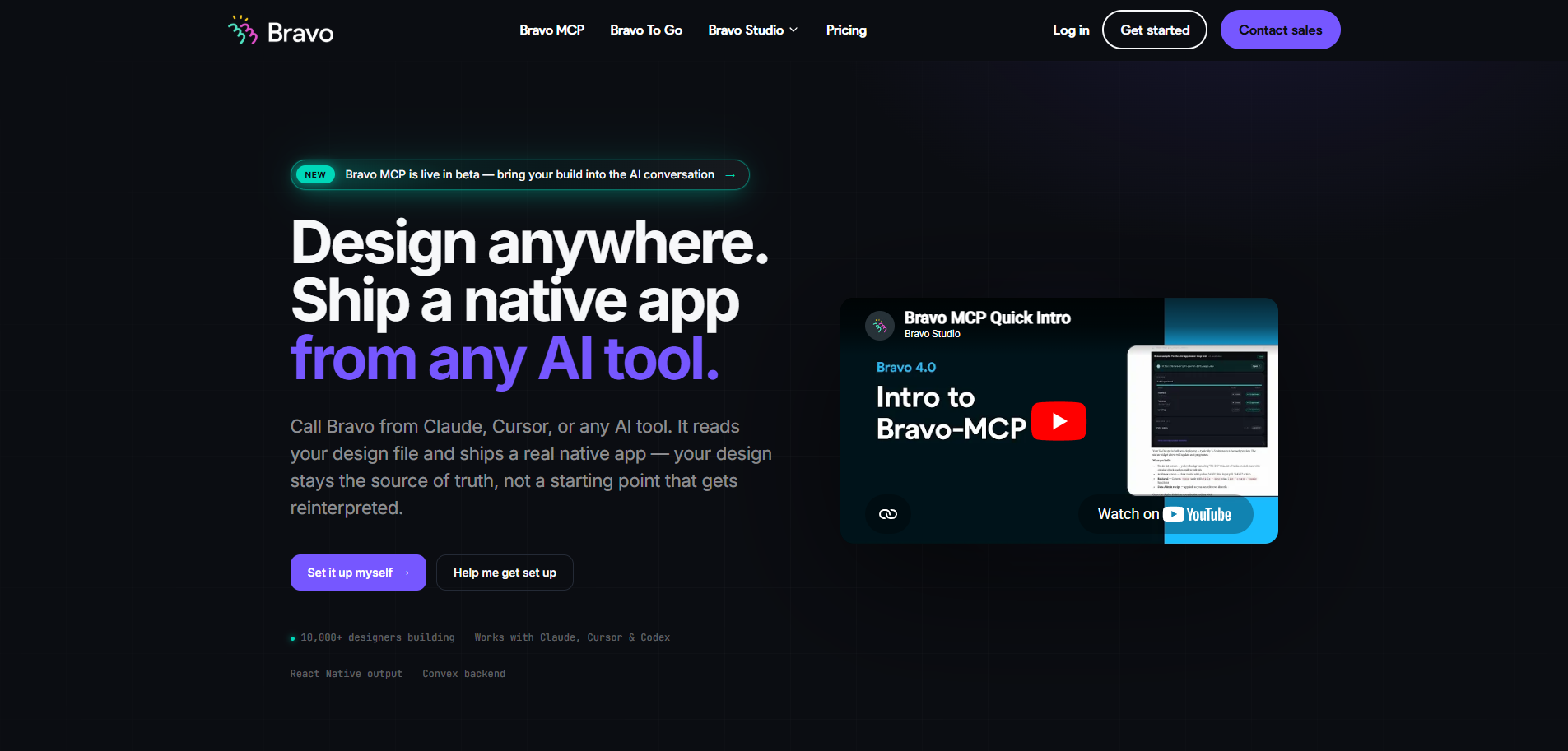
Best for designers and design-led teams turning a finished Figma file into a native app.
Score
5.5 / 10. Real native output from Figma (8/10) with direct store deployment (8/10), but it expects design plus backend wiring (non-technical 4/10), has no built-in engagement (2/10), and no in-house team (3/10).
Product Overview
- Turns a Figma design into a native iOS and Android app, preserving your design intent screen for screen.
- Connects screens to external APIs for data and logic, with native device features like camera and GPS and one-click store publishing.
- The backend is yours to build and host; Bravo handles the app shell, not the server.
Pricing
Free-forever plan to try it, with paid plans from about $20 a month. The real investment is the design and backend work you bring.
Integrations
Connects to external APIs and services for data and logic, including options like Firebase login and Stripe payments.
Setup
Hours to a working app if your Figma file is ready, longer once you wire every screen to live data.
Tradeoffs
Bravo loses to Choicely on the human-help path (no Pro Services team), on built-in engagement (you build voting and the like yourself), and on proven live-event scale. It also assumes you are comfortable as both designer and backend integrator. It wins when design fidelity from Figma is the single most important thing.
5. Glide: No-Code Data-Driven Apps
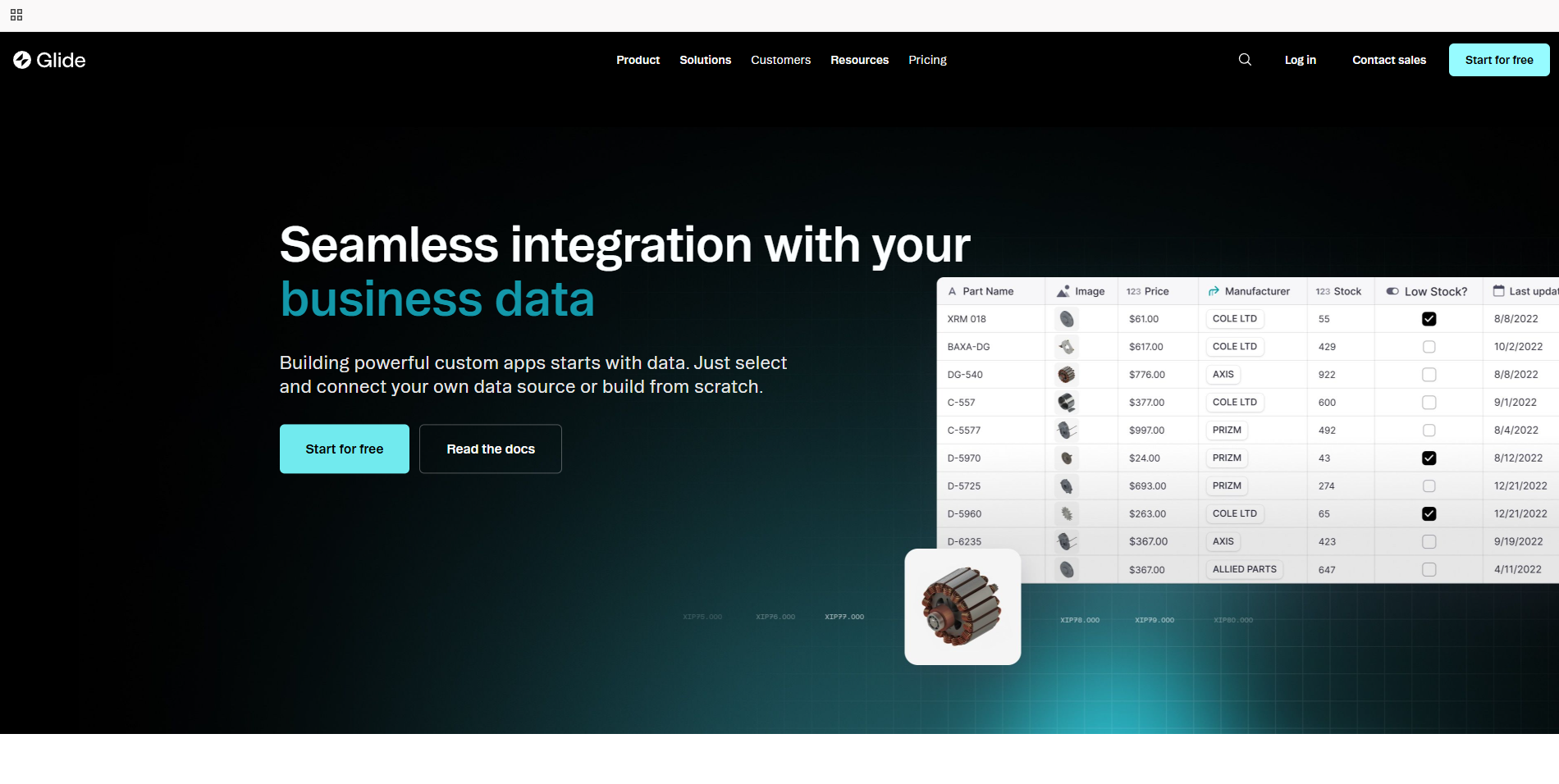
Best for data-driven business apps, internal tools, and PWAs built on top of a spreadsheet or database.
Score
4.5 / 10. Fast, polished apps from your data and easy for non-coders (ease 8/10), but it ships PWAs rather than native apps (native 3/10), its store path is a wrapper (deployment 3/10), and there is no built-in engagement (3/10).
Product Overview
- A no-code builder driven by structured data (Google Sheets, Airtable, Glide Tables) with auth, roles, and an AI app generator.
- Apps run as polished PWAs; Glide does not compile real native code, and its store path wraps the PWA in a native shell.
- Per-user pricing on the Business tier makes public-facing, high-user apps expensive quickly.
Pricing
Free plan — one project, limited credits. Glide repriced when it moved to GlideOS: Basic is $25 a month, Plus $50 a month, Pro $125 a month, and Enterprise is quote-only. The Explorer, Maker and $199 Business tiers that older listicles still quote no longer exist, and annual billing is listed as coming soon. Verified on Glide's pricing page, 7 August 2026.
Integrations
Google Sheets, Excel, Airtable, and Glide Tables, with deeper integrations and SQL databases gated to higher tiers.
Setup
Very fast for spreadsheet-backed apps if your data is already organized.
Tradeoffs
Glide loses to Choicely wherever native performance, app-store distribution, or built-in audience engagement matter, and its per-user pricing makes consumer-scale apps a poor fit. It wins when the job is an internal, data-centric tool and a PWA is genuinely good enough.
6. Noloco: No-Code Portals and Internal Tools
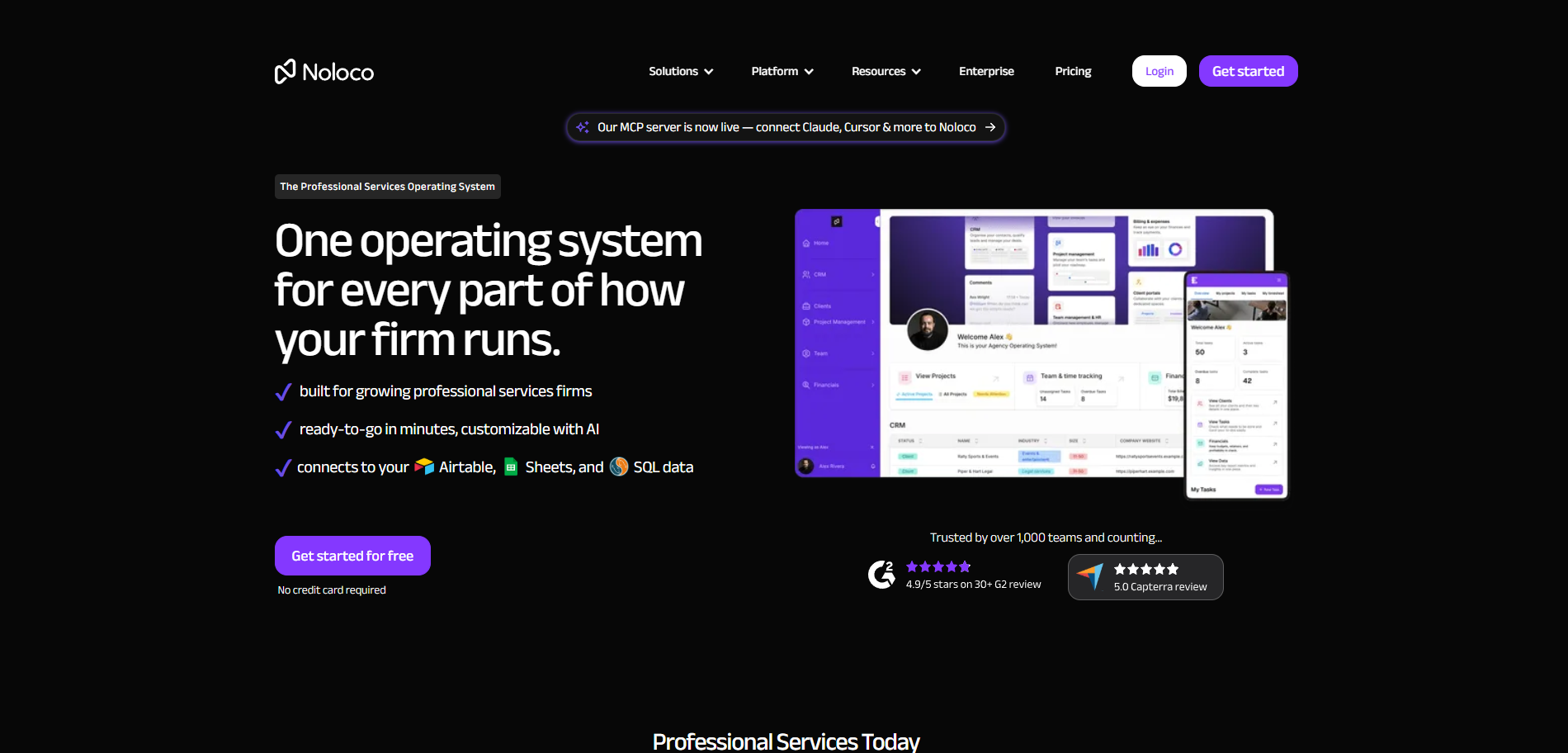
Best for internal business tools and client portals built on top of your existing data.
Score
4.1 / 10. Excellent for internal tools and client portals (ease 8/10), but it outputs web apps and PWAs with no native binary (native 2/10), no App Store path (deployment 2/10), and no engagement features (2/10).
Product Overview
- Builds structured apps and client portals from your business data (Airtable, databases, its own tables) with granular permissions and white-labeling.
- Output is a responsive web app or PWA, not a native mobile app, with no App Store path.
- Strong for operational tools and client portals, less so for consumer mobile apps.
Pricing
Free-forever plan, with paid plans from about $49 a month and the more business-ready Pro tier around $149. Pricing scales with users and apps.
Integrations
Good connections to Airtable, HubSpot, Make, and common business data sources.
Setup
Minutes to hours from connected data to a working portal, because the scope is deliberately focused.
Tradeoffs
Noloco is not trying to be a native consumer app builder, and against Choicely that is the whole story: no native app-store output, no built-in audience engagement, no live-event scale. If your Adalo app was secretly an internal tool or a client portal, Noloco is a better fit than Choicely. If it was a real consumer app, it is not the tool you are looking for.
How To Choose the Right Adalo Alternative
Use this as a decision framework. Each step is specific enough to act on today, and most teams can work through the whole list in an afternoon.
Step 1: Name the Piece of Adalo That Is Actually Your Blocker
Before you compare anything, name the specific wall. Is it performance at scale, the custom-logic and integration ceiling, the depth of native features, pricing as usage grows, or the lack of a human help path? The right alternative depends entirely on which piece you are replacing, so write it down first.
Step 2: Decide Between a Simple App and a Real Native App Platform
Glide and Noloco center on web apps, PWAs, and portals. If a simple app is genuinely fine, you may not need to switch far. If you need a polished, performant native app in the App Store and Google Play, you need a true native platform like Choicely, FlutterFlow, or Bravo Studio. Be honest about which camp you are in.
Step 3: Stress-Test Output Type and Performance, Native vs PWA or Web
Confirm the tool compiles a real, signed native binary that performs under load, not a PWA or a wrapped web view dressed up as an app. Performance under real data and traffic is the exact wall many teams hit on Adalo, so test it with your data volumes, not a demo dataset.
Step 4: Verify Code and Data Portability and Ownership
Before you sign up, confirm you get your app, your data, and a clean exit. Choicely outputs portable native iOS and Android code your team owns, FlutterFlow exports the full Flutter project, and Bubble notably does not export source code at all. Do not trade one lock-in for another.
Step 5: Evaluate Custom-Logic and Integration Depth
The Adalo ceiling is usually logic and integrations. Confirm the alternative supports the workflows, third-party services, and data models your app actually needs, and check whether it ships an AI builder or a human team to handle the hard parts rather than leaving them to you.
Step 6: Check Whether the Platform Deploys Directly to the App Store
Some tools hand you a URL or a PWA you have to wrap and submit yourself. The right alternative ships the actual native binary to the App Store and Google Play. Calling a hosted URL your app is not the same as publishing a native app, so make the tool prove it.
Step 7: Evaluate the Human Help Path When You Hit a Wall
Every team eventually hits a problem the builder cannot solve. Confirm whether the alternative offers a first-party Pro Services team or a clean hand-off. FlutterFlow, Bubble, Glide, Bravo Studio, and Noloco leave you with docs, community forums, or paid agencies; Choicely is the one here with an in-house team that can take the build over the finish line.
Step 8: Match the Tool to Who Will Build and Maintain It
FlutterFlow rewards developers, Bravo Studio rewards designers comfortable wiring a backend, and Bubble rewards no-code power users. If non-technical co-founders or content leads have to contribute, confirm there is a real visual editor and conversational AI they can actually use, or your no-code tool will quietly need a coder.
Step 9: Pressure-Test Scale and Built-In Engagement
Confirm the platform can handle real users and real traffic from day one, and check whether voting, polling, and other engagement features are built in or something you have to build from scratch. If your app is audience-facing, this is where Choicely's live-event track record (Eurovision, Miss Universe, Got Talent) does the heavy lifting.
Things to Consider Before Looking for an Adalo Alternative
Before you move off Adalo, walk through these checks. They help you avoid switching for the wrong reason, and avoid trading one platform's limits for another's.
1. Identify Which Adalo Capability You Actually Depend On
Adalo bundles several things: a visual editor, a database, a components marketplace, and app publishing. Most teams switching are really only replacing one or two of these. Write down which ones, then evaluate alternatives against that list rather than against Adalo's full surface area.
2. Decide If You Need Native Performance or Just a Simpler App
If a simple app or a web/PWA is genuinely fine, Glide or Noloco may be enough. If your real problem is performance, polish, and native depth at scale, you are shopping for a true native platform, a different category than Adalo.
3. Confirm Code and Data Portability Before You Commit
Do not trade one lock-in for another. Confirm the alternative exports your app, your code, and your data in a portable format. Choicely and FlutterFlow give you owned native code; some no-code tools, notably Bubble, do not export source at all.
4. Model Pricing at Your Real Scale, Not the Starting Tier
Adalo's pricing can climb with apps and usage. Whatever you move to, run the numbers at realistic users and app counts, and account for any separate backend, hosting, or per-user fees so the new platform does not surprise you the same way.
5. Map Who Actually Needs to Touch the Build
If non-technical co-founders, designers, or content leads must contribute, rule out developer-first tools like FlutterFlow and design-plus-backend tools like Bravo Studio, and confirm a real visual editor and conversational AI that non-coders can use.
6. Plan for the Wall Before You Hit It
Every team eventually hits a problem the builder cannot solve. Decide now whether you want a first-party Pro Services team to take it over, a community to lean on, or to hire a freelancer, because that answer should shape which alternative you pick.
FAQs
Why Are Founders and Teams Looking for Adalo Alternatives in 2026?
Usually performance. Adalo is great for simple prototypes, but apps tend to slow down as data and users grow, and teams hit ceilings on custom logic, integrations, and pricing. Most are not unhappy with Adalo; they have simply outgrown it and need real native performance at scale.
What Is the Best Adalo Alternative for Non-Technical Founders?
Choicely. Its conversational AI builder and drag-and-drop editor let non-technical founders ship real native iOS and Android apps without code, and the optional Pro Services team handles anything the AI cannot. FlutterFlow and Bravo Studio are more capable but assume developer or design-plus-backend skills you may not have.
What Is the Best Adalo Alternative for Building Native iOS and Android Apps?
Choicely and FlutterFlow lead for true native output. Choicely produces native Swift and Java apps from an AI prompt and adds built-in engagement and a human team. FlutterFlow generates an exportable native Flutter codebase. Bravo Studio is a strong third if you design in Figma and can wire your own backend.
What Is the Best Adalo Alternative for Apps That Need Complex Logic?
Bubble. Its visual workflow engine handles genuinely complex, data-heavy logic better than almost any no-code tool, and it now ships native mobile too. If you also need built-in audience engagement and proven live-event scale, Choicely is the stronger pick; if raw workflow depth is everything, Bubble wins.
What Are the Best No Code App Builder Alternatives to Adalo?
For native consumer apps, Choicely. For complex web apps, Bubble. For data-driven apps and internal tools, Glide. For client portals, Noloco. Each is no-code or low-code; the right one depends on whether you need a native app, a web app, or an internal tool.
What Are the Best Alternatives to Adalo With Code Access?
FlutterFlow is the clearest pick: it exports the full native Flutter and Dart project, so your team owns and can extend the code. Choicely outputs portable native iOS and Android code and supports custom code as well. Bubble, Glide, and Noloco do not offer source-code export, so factor that into long-term ownership.
How Does Adalo Compare to FlutterFlow, Bubble, and Glide?
Adalo and Glide suit simpler apps; Adalo publishes native, Glide ships web and PWAs. FlutterFlow gives developers an exportable native codebase. Bubble offers the deepest logic plus newer native mobile. If you need native performance with built-in engagement and scale, Choicely covers ground none of them do alone.
When Is Choicely the Right Adalo Alternative?
When the deliverable is a real, performant native iOS and Android app that real audiences will use, especially voting, contest, fan-engagement, media, or event apps. Choicely fits teams that want AI plus an optional human team rather than a developer ramp, and that need the app to handle traffic spikes from day one.
Can I Move My Project Off Adalo to Another Platform?
Yes, though there is no one-click migration between no-code platforms; you rebuild on the new tool. The upside is a clean start on the right foundation. Choicely's AI builder and Pro Services team can shorten that rebuild, and you end up owning portable native code rather than another locked-in app.
The Bottom Line on Adalo Alternatives
If your Adalo app outgrew the platform on performance, native depth, or scale, the shortlist is short: Choicely and FlutterFlow for true native output, Bubble for deep web logic, and Glide or Noloco if the app was really data or internal tooling all along. For a native consumer app that has to stay fast and engaging when real audiences arrive, Choicely is the one option here built and proven for exactly that.
Sources & disclosure: Pricing verified on the vendors' official pricing pages (Adalo, Glide) as of July 23, 2026; review signals from G2 and Capterra. Choicely publishes this guide and appears in the ranking, so we have a commercial interest in one of the tools compared. Scores follow the methodology above; where a rival tool is the better fit, we say so. For the whole market in one view, see our ranking of the best AI app builders (prices re-verified August 2026).
Build your own app by chatting with AI

Create mobile apps for App Store & Google Play by chatting with Choicely AI
Keep reading, here are some similar posts

Last updated: July 23, 2026 You built something on Lovable, it came together fast, and then you hit the wall...
.webp)
If you are searching for the best collaborative AI app builder for teams, the bottleneck is probably not the...
Last updated: July 23, 2026 If you're weighing Base44 alternatives, you've probably already hit one of its...